Secrets
Store sensitive credentials like database passwords and API keys securely.
Not in Flowfile Lite
Secrets storage requires the full desktop/server build. The browser-only Flowfile Lite edition does not store credentials.
How It Works
Secrets are encrypted before storage using a key derived from the master key. When a flow needs a credential, Flowfile decrypts it on-demand. The actual values never appear in flow definitions or logs.
Two keys, two jobs
Flowfile uses two distinct keys. They are configured separately, and the one you care about depends on your mode:
| Key | Encrypts | Where it lives |
|---|---|---|
FLOWFILE_MASTER_KEY (Fernet) |
User secrets (this page) | Env var / setup wizard — see Master key |
Local secure-storage key (.secret_key) |
OAuth tokens and locally-stored connection files | Auto-generated file managed by Flowfile — see below |
The local secure-storage key is generated automatically the first time Flowfile writes locally-stored credentials, and you never configure it by hand. Its location depends on FLOWFILE_MODE:
| Mode | Secure-storage directory |
|---|---|
Desktop (electron mode) |
%APPDATA%\flowfile on Windows, ~/.config/flowfile elsewhere — the file is .secret_key |
| Python API / package | SECURE_STORAGE_PATH if set, otherwise /tmp/.flowfile |
| Docker | SECURE_STORAGE_PATH if set, otherwise /tmp/.flowfile |
The rest of this page is about the master key, which is what encrypts the secrets you create in the UI.
Master Key
The master key is a Fernet key that encrypts all user secrets. Each user's secrets are encrypted with a per-user key derived from it. Without the master key, secrets cannot be decrypted.
Configuration by Mode
| Mode | Configuration |
|---|---|
Desktop (electron mode) |
Managed automatically on first use — no manual configuration |
| Python API / package | Managed automatically on first use — no manual configuration |
| Docker | Generate via the setup wizard, then set as the FLOWFILE_MASTER_KEY env variable |
Desktop & Python API
The master key is resolved automatically on first use — no manual configuration is needed. In these modes there is no separate file for you to back up: to move an install, migrate the whole storage directory (~/.flowfile by default, or FLOWFILE_STORAGE_DIR if set) together with your database, and your secrets keep decrypting.
Docker
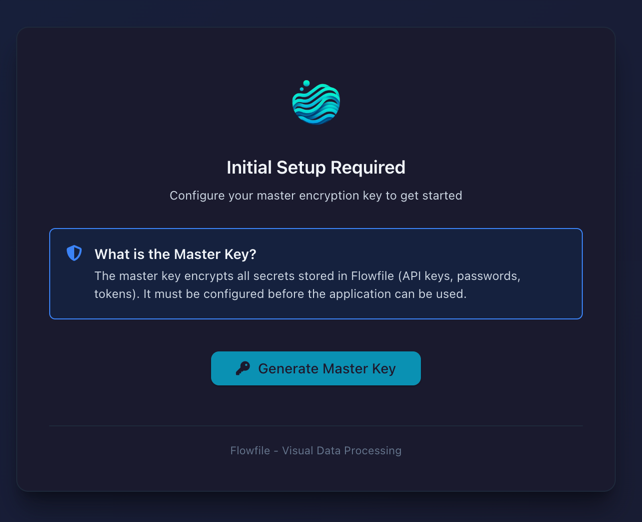
In Docker mode the master key must be supplied explicitly — it is not auto-generated to a file. On first start without a key, Flowfile shows a setup screen:
- Click Generate Master Key
- Copy the generated key
- Add it to your
.envfile:FLOWFILE_MASTER_KEY=<your-key>(or provide it as amaster_key.txtDocker secret — the env var wins) - Restart the containers
Protect your master key
- Store the value securely (
.envfile or Docker secret) and back it up - Never commit it to version control
- Losing it means losing access to every encrypted secret — there is no recovery
Creating Secrets
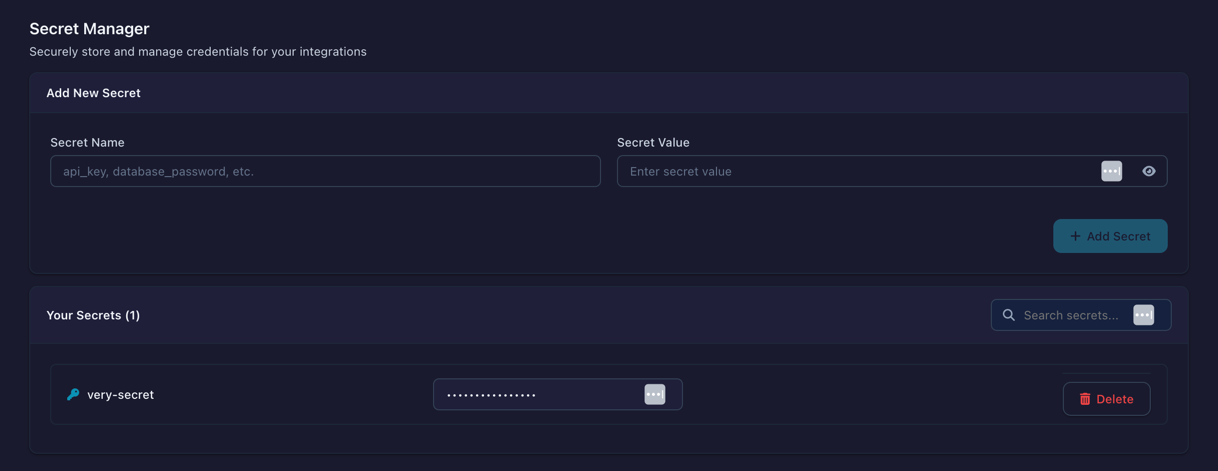
- Open Settings → Connections → All connections (the gear icon in the left sidebar), then select the Secrets tab
- Click Add Secret
- Enter name (e.g.,
prod_database_password) - Enter value
- Save
Using Secrets
Reference secrets by name when configuring connections. The encrypted value is decrypted at runtime.
Encryption
- Algorithm: Fernet (AES-128-CBC + HMAC-SHA256)
- Isolation: each user's secrets are encrypted with their own key, derived from the master key
- Storage: Encrypted in SQLite database
Shared Secrets (Docker / multi-user mode)
In Docker mode a secret can be shared with a user group, letting members run flows with the credential without ever seeing its value. Sharing changes nothing about how the secret is stored: it stays encrypted under the owner's key, and the owner's identity is embedded in the stored value itself. At runtime Flowfile reads the owner id from the value and derives the owner's key to decrypt — the identity of the user running the flow is only used to check that they have been granted access. Revoking the share takes effect immediately, with no rotation needed.
See Group-Based Sharing for the full sharing model.