Connect to a PostgreSQL database
This tutorial connects Flowfile to a PostgreSQL database, reads a table, enriches and aggregates it, and writes the ranked result back to a new table. The default walkthrough uses a local PostgreSQL you can spin up in one command, so the whole flow is reproducible end to end — the same flow runs in Flowfile's CI on every change. Connecting to Supabase at the end covers a hosted database as a special case.
Not in Flowfile Lite
Database connectivity requires the full desktop/server build. This tutorial does not apply to the browser-only Flowfile Lite edition, which has no backend.
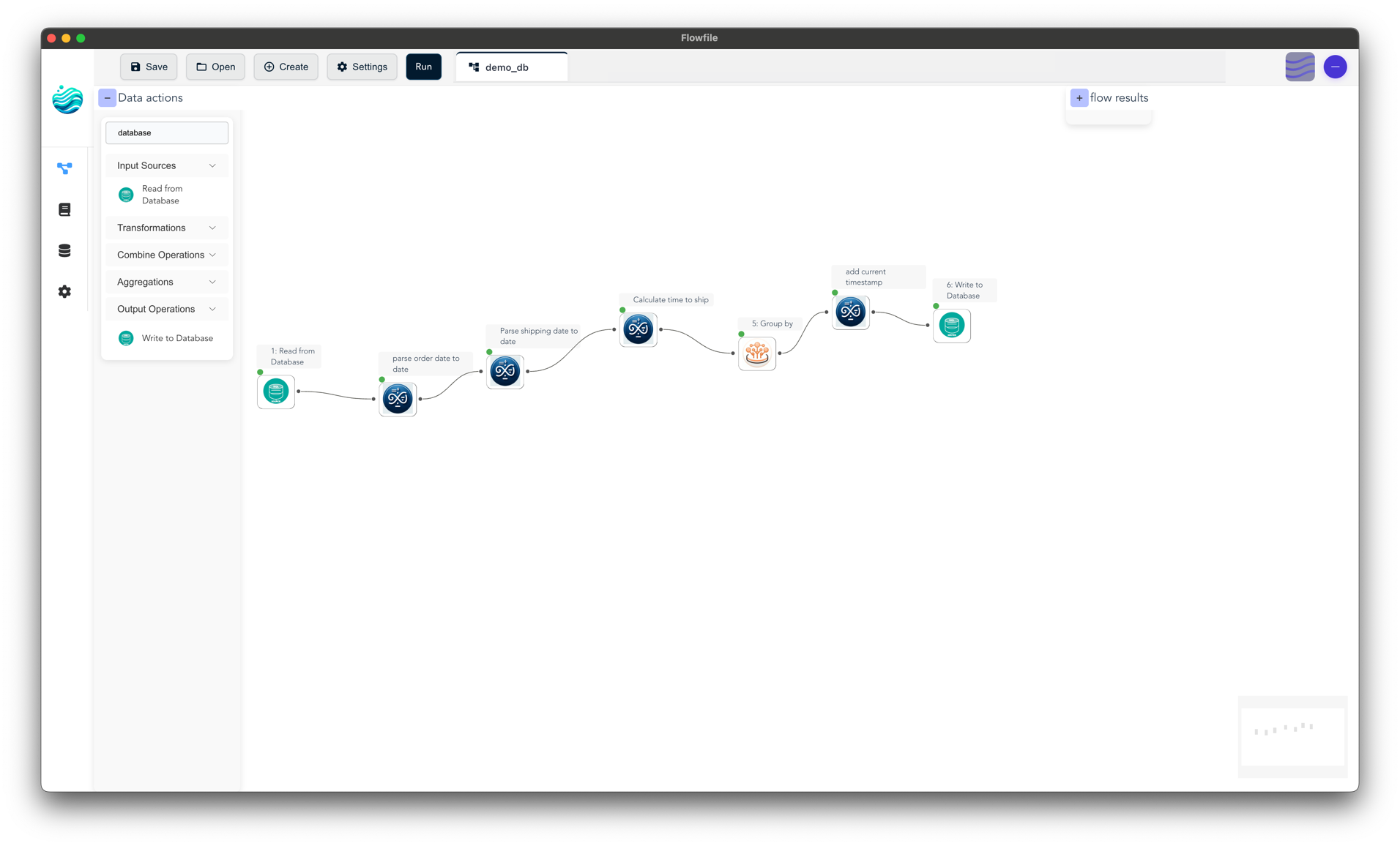
The finished flow: read a table, enrich and aggregate it, rank, and write back.
Flow file: database_transform_write.yaml · download
Set up a database to follow along
You need a PostgreSQL server with a table to read. Any server works; the walkthrough uses a sample movies table (~4,800 films with budget, revenue, and rating columns).
If you have the repository checked out, one command builds a Postgres container preloaded with the movies sample:
poetry run start_postgres
It listens on localhost:5433 — database testdb, user testuser, password testpass. Stop it later with poetry run stop_postgres.
Point the connection below at any PostgreSQL server you can reach, and substitute your own table and columns in the steps that follow.
Create a database connection
Save the credentials once so every flow can reference them by name — the flow file never stores the secret.
- Open Settings → Connections → All connections in the left sidebar, then select the Database tab.
- Click Add Connection.
- Fill in the fields:
- Connection Name:
analytics-postgres(the name the flow and Python example below expect) - Database Type: PostgreSQL
- Host:
localhost(or your server's host) - Port:
5433(the local sample) or5432(a standard server) - Database:
testdb - Username / Password:
testuser/testpass(or your credentials) - Enable SSL: check if your server requires it
- Connection Name:
- Click Update Connection to save.
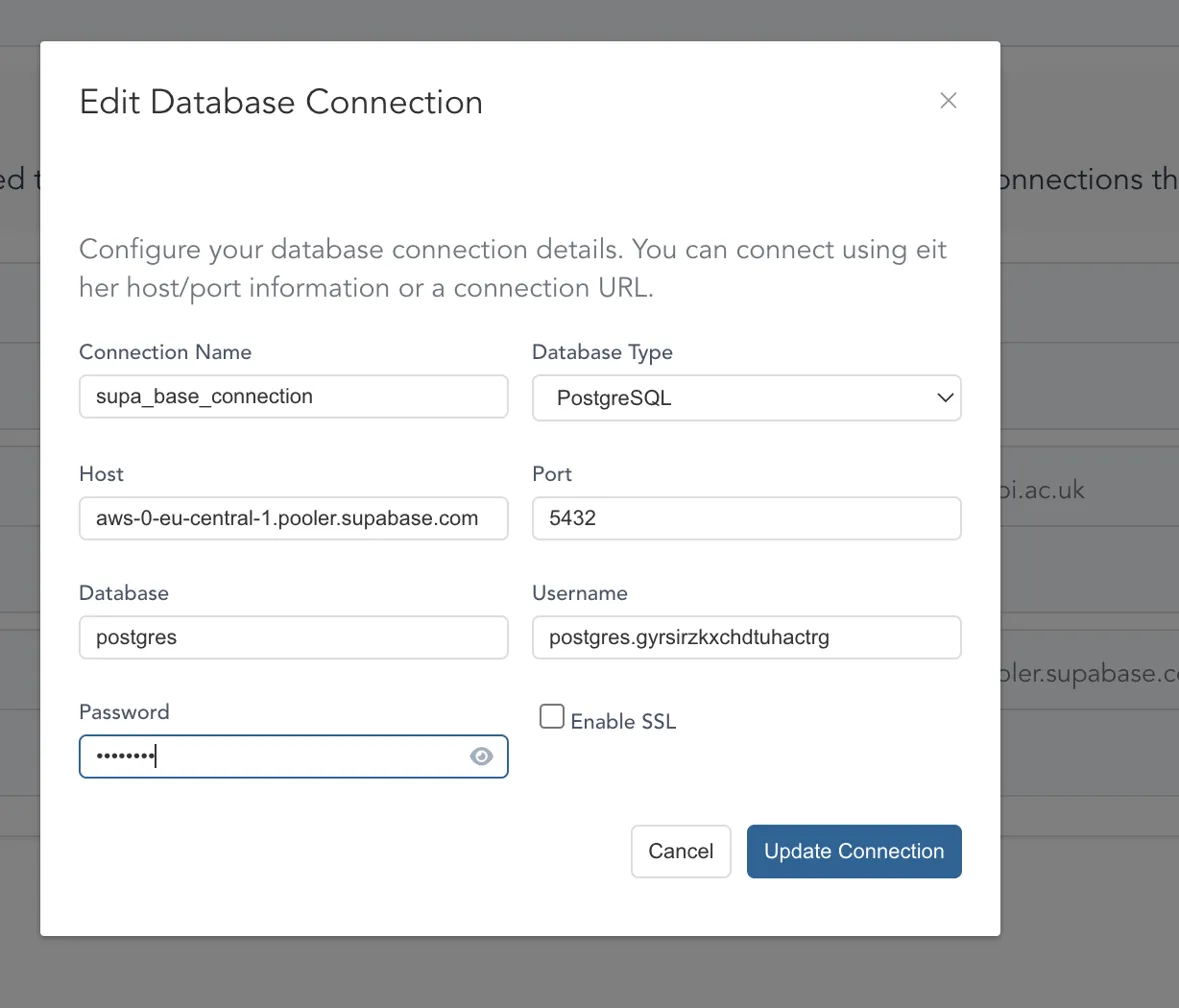
A saved PostgreSQL connection on the Connections page.
See Connections for a full field reference.
Build the flow
The flow reads the table, derives a column, filters, aggregates several metrics per language, keeps well-sampled languages, ranks them, and writes the result back.
1. Read from the database
- Drag a Read from Database node onto the canvas.
- Set Connection Mode to reference and pick
analytics-postgres. - Set Schema to
publicand Table tomovies. - Click Validate Settings, then Run and click the node to preview the rows.
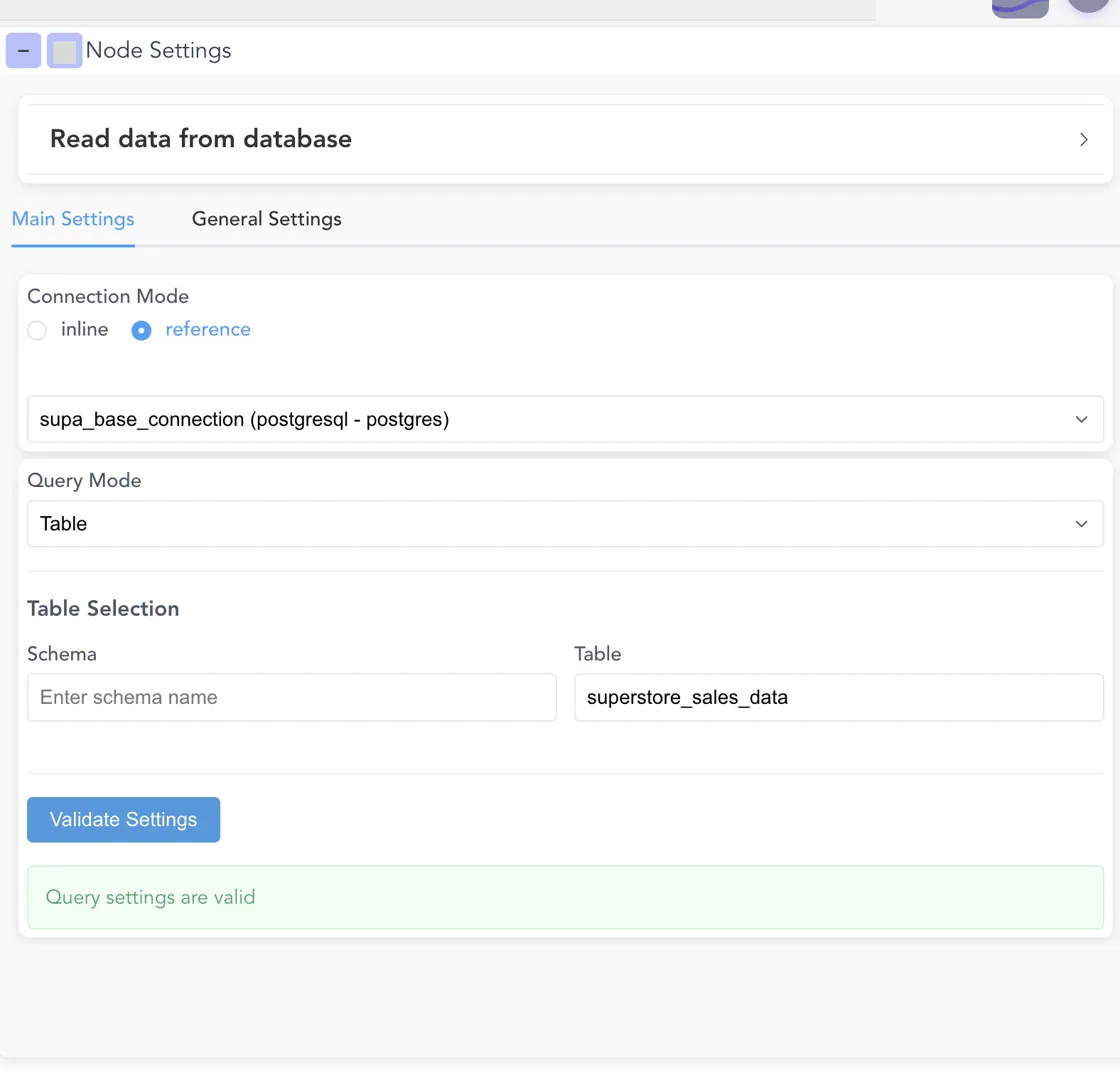
The Read from Database node configured in reference mode.
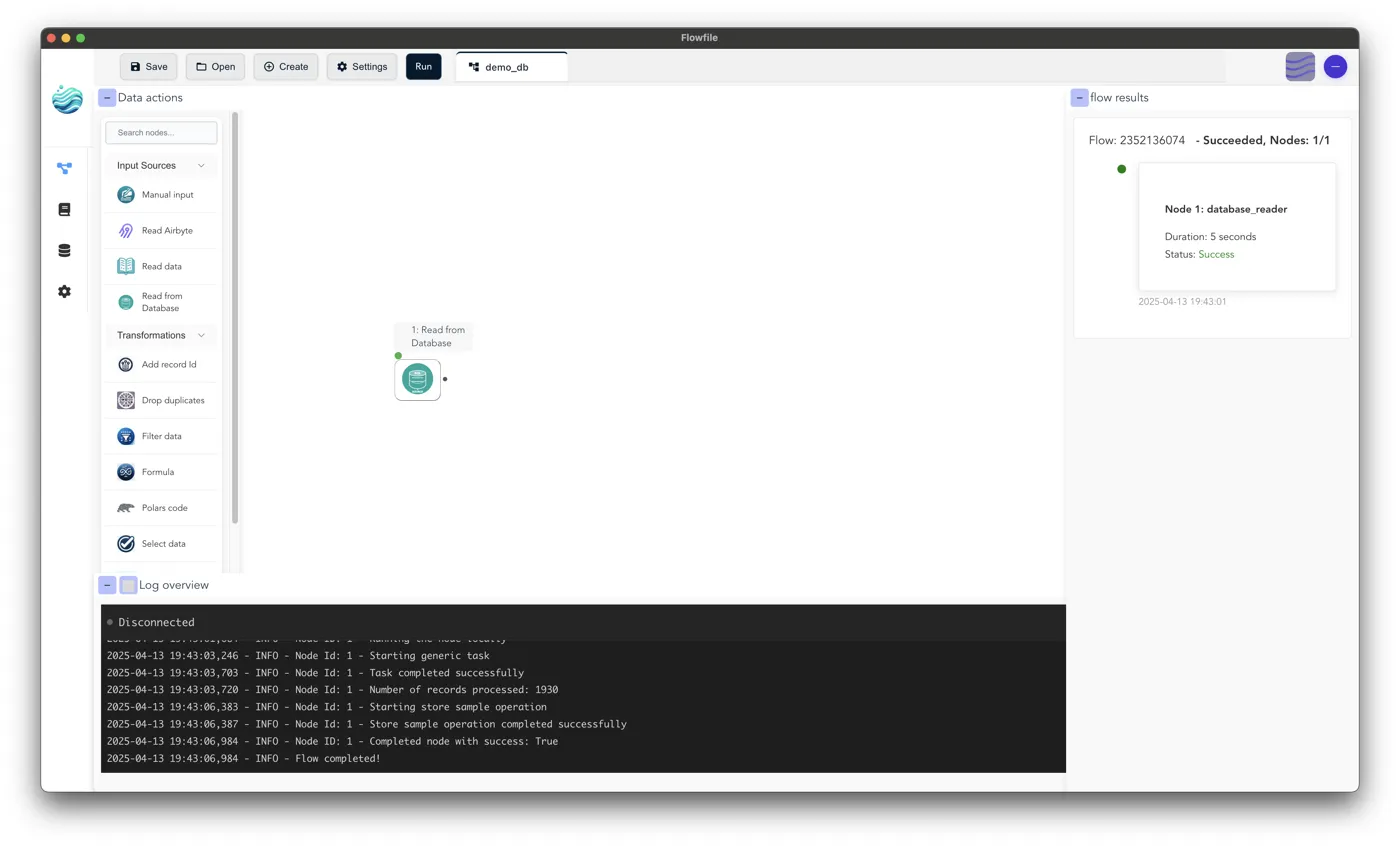
2. Enrich, filter, and aggregate
- Add a Formula node to derive
profitas[revenue] - [budget]. - Add a Filter node keeping only films with real financials:
[budget] > 0 and [revenue] > 0. - Add a Group by node keyed on
original_language, aggregating:- count of
title→films - mean of
vote_average→avg_score - sum of
profit→total_profit - median of
profit→median_profit
- count of
- Add a second Filter to keep languages with
[films] >= 10, then a Sort ontotal_profitdescending.
For per-node settings, see Data Actions.
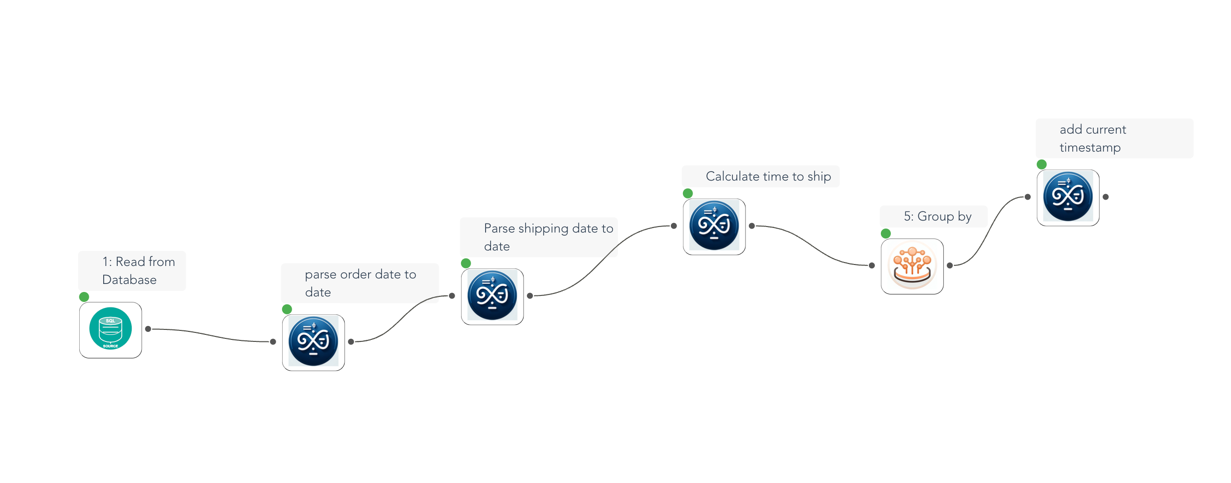
Read → Formula → Filter → Group by → Filter → Sort.
3. Write the result back
- Drag a Write to Database node onto the canvas and connect it to the Sort node.
- In its settings panel:
- Connection Mode: reference
- Connection:
analytics-postgres - Schema:
public - Table:
language_profitability - If Table Exists: Replace (drop and recreate), Append, or Fail
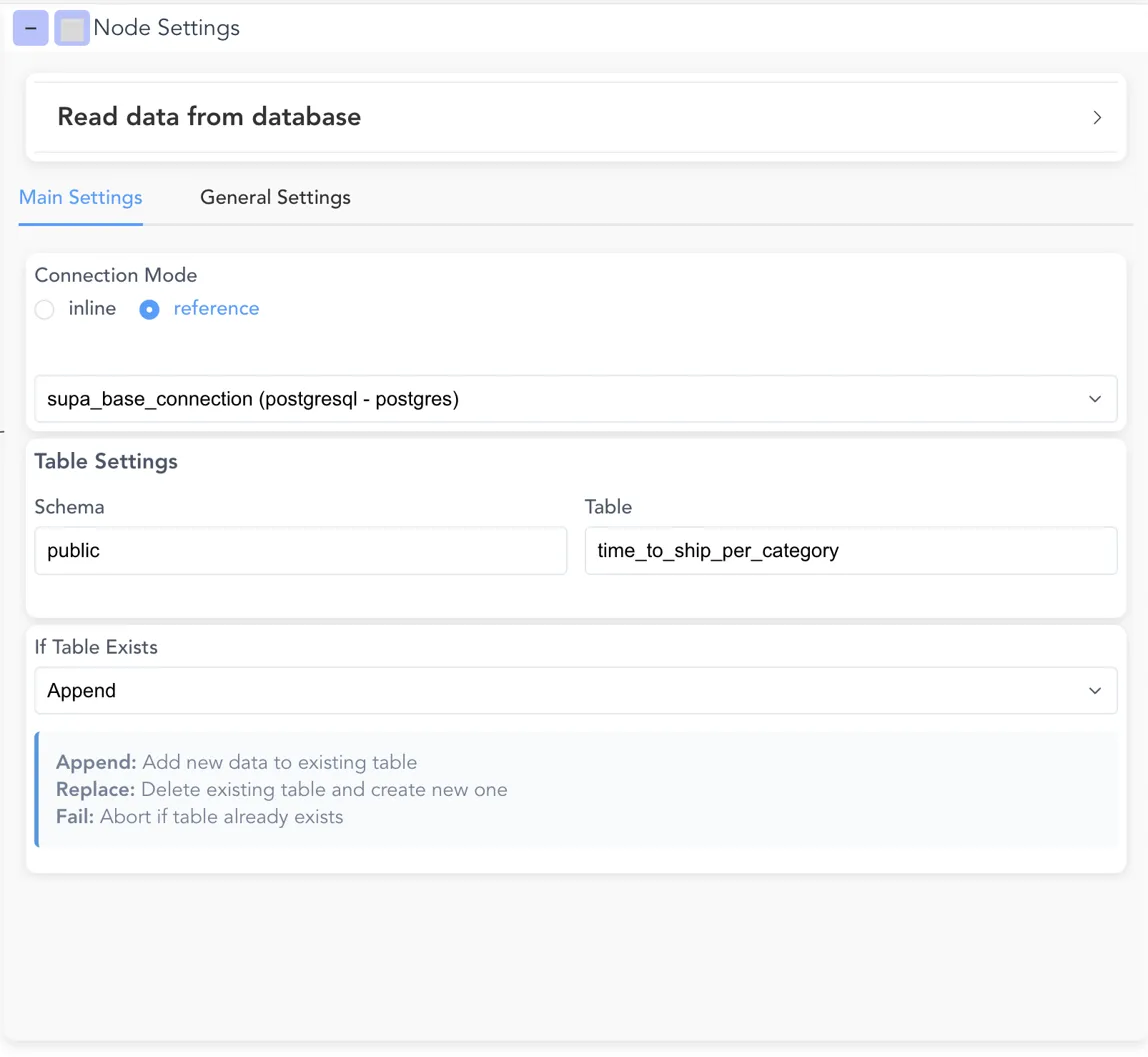
The Write to Database node in reference mode.
Run it
Click Run to execute the whole flow. Flowfile reads movies, applies the transformations, and writes the ranked result to language_profitability. Query the destination table to confirm — five languages remain, ranked by total profit:
| original_language | films | avg_score | total_profit |
|---|---|---|---|
| en | 3102 | 6.287 | 257,105,728,489 |
| ja | 13 | 7.192 | 853,264,950 |
| zh | 13 | 6.338 | 546,289,508 |
| fr | 25 | 6.824 | 376,482,920 |
| es | 15 | 6.927 | 350,284,666 |
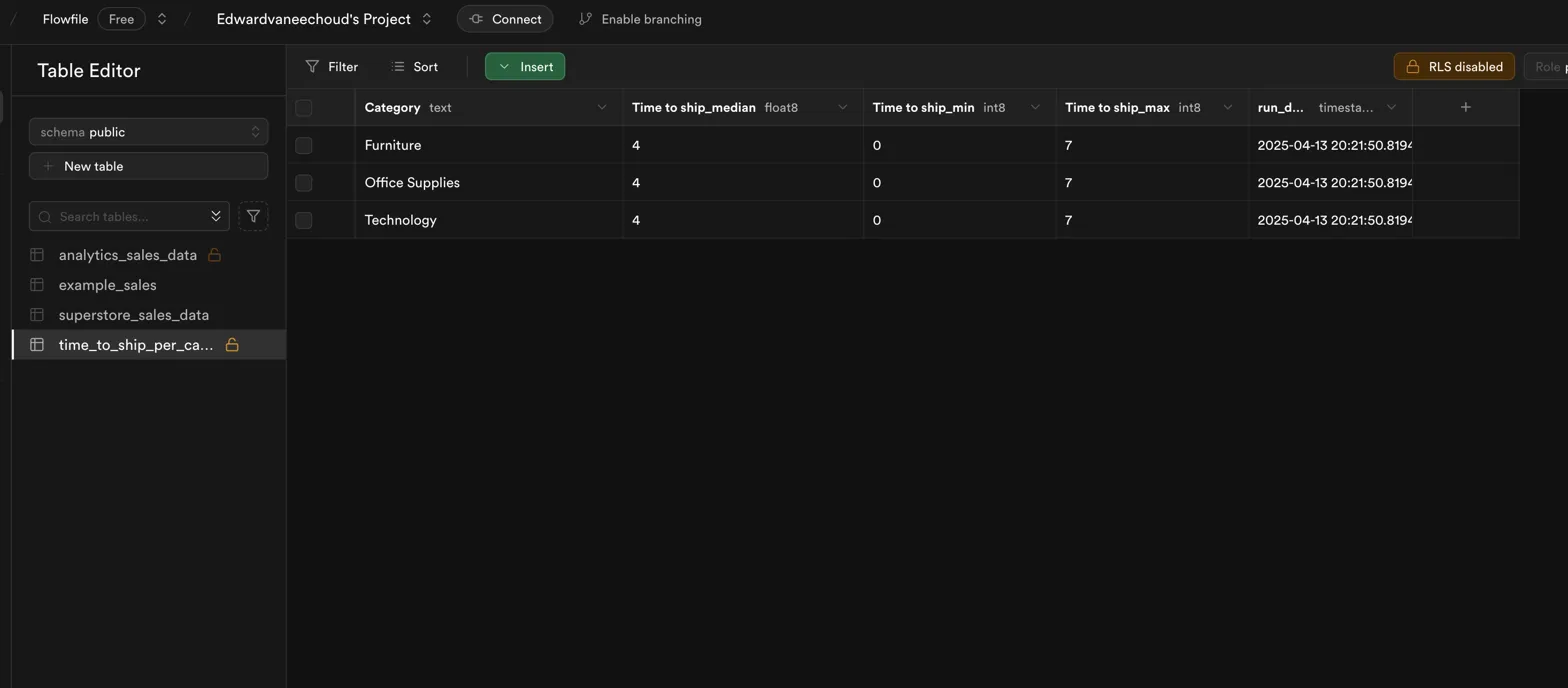
The destination table populated with the ranked result.
The flow file
The finished flow is committed and runs in CI against the local Postgres sample, so it can't drift from a working pipeline. Download it and open it in Flowfile from the Home page's Open flow tile, or inspect it below — it references the connection by name only, so it carries no credentials.
See the flow YAML
flowfile_version: 0.12.8
flowfile_id: 1
flowfile_name: Language profitability
flowfile_settings:
  description: null
  execution_mode: Performance
  execution_location: local
  auto_save: false
  show_detailed_progress: true
  max_parallel_workers: 4
  source_registration_id: null
  parameters: []
nodes:
- id: 1
  type: database_reader
  is_start_node: true
  description: Read from public.movies
  node_reference: null
  x_position: 0
  y_position: 100
  group_id: null
  left_input_id: null
  right_input_id: null
  input_ids: null
  outputs: [3]
  output_handles: [output-0]
  input_connections: null
  setting_input:
    cache_results: false
    output_field_config: null
    database_settings:
      connection_mode: reference
      database_connection: null
      database_connection_name: analytics-postgres
      schema_name: public
      table_name: movies
      query: null
      query_mode: table
    fields:
    - name: budget
      data_type: Int64
    - name: genres
      data_type: String
    - name: homepage
      data_type: String
    - name: id
      data_type: Int32
    - name: keywords
      data_type: String
    - name: original_language
      data_type: String
    - name: original_title
      data_type: String
    - name: overview
      data_type: String
    - name: popularity
      data_type: Float64
    - name: production_companies
      data_type: String
    - name: production_countries
      data_type: String
    - name: release_date
      data_type: Datetime(time_unit='us', time_zone=None)
    - name: revenue
      data_type: Int64
    - name: runtime
      data_type: Float64
    - name: spoken_languages
      data_type: String
    - name: status
      data_type: String
    - name: tagline
      data_type: String
    - name: title
      data_type: String
    - name: vote_average
      data_type: Float64
    - name: vote_count
      data_type: Int32
- id: 3
  type: formula
  is_start_node: false
  description: profit = ([revenue] - [budget])
  node_reference: null
  x_position: 200
  y_position: 100
  group_id: null
  left_input_id: null
  right_input_id: null
  input_ids: [1]
  outputs: [4]
  output_handles: [output-0]
  input_connections: null
  setting_input:
    cache_results: false
    output_field_config: null
    function:
      field:
        name: profit
        data_type: Auto
      function: ([revenue] - [budget])
- id: 4
  type: polars_code
  is_start_node: false
  description: input_df.filter((((pl.col('budget') > 0) & (pl.col('revenue') > 0))))
  node_reference: null
  x_position: 400
  y_position: 100
  group_id: null
  left_input_id: null
  right_input_id: null
  input_ids: [3]
  outputs: [5]
  output_handles: [output-0]
  input_connections: null
  setting_input:
    cache_results: false
    output_field_config: null
    polars_code_input:
      polars_code: input_df.filter((((pl.col('budget') > 0) & (pl.col('revenue') >
        0))))
- id: 5
  type: group_by
  is_start_node: false
  description: Aggregate after grouping by "original_language"
  node_reference: null
  x_position: 600
  y_position: 100
  group_id: null
  left_input_id: null
  right_input_id: null
  input_ids: [4]
  outputs: [6]
  output_handles: [output-0]
  input_connections: null
  setting_input:
    cache_results: false
    output_field_config: null
    groupby_input:
      agg_cols:
      - old_name: original_language
        agg: groupby
        new_name: original_language
        output_type: null
      - old_name: title
        agg: count
        new_name: films
        output_type: Int64
      - old_name: vote_average
        agg: mean
        new_name: avg_score
        output_type: Float64
      - old_name: profit
        agg: sum
        new_name: total_profit
        output_type: null
      - old_name: profit
        agg: median
        new_name: median_profit
        output_type: Float64
- id: 6
  type: polars_code
  is_start_node: false
  description: input_df.filter(((pl.col('films') >= 10)))
  node_reference: null
  x_position: 800
  y_position: 100
  group_id: null
  left_input_id: null
  right_input_id: null
  input_ids: [5]
  outputs: [7]
  output_handles: [output-0]
  input_connections: null
  setting_input:
    cache_results: false
    output_field_config: null
    polars_code_input:
      polars_code: input_df.filter(((pl.col('films') >= 10)))
- id: 7
  type: sort
  is_start_node: false
  description: Sort by total_profit
  node_reference: null
  x_position: 1000
  y_position: 100
  group_id: null
  left_input_id: null
  right_input_id: null
  input_ids: [6]
  outputs: [8]
  output_handles: [output-0]
  input_connections: null
  setting_input:
    cache_results: false
    output_field_config: null
    sort_input:
    - column: total_profit
      how: desc
- id: 8
  type: database_writer
  is_start_node: false
  description: Write to public.language_profitability (replace)
  node_reference: null
  x_position: 1200
  y_position: 100
  group_id: null
  left_input_id: null
  right_input_id: null
  input_ids: [7]
  outputs: []
  output_handles: []
  input_connections: null
  setting_input:
    cache_results: false
    output_field_config: null
    database_write_settings:
      connection_mode: reference
      database_connection: null
      database_connection_name: analytics-postgres
      table_name: language_profitability
      schema_name: public
      if_exists: replace
groups: []
In Python
The same flow with the flowfile Python API. Reference-mode database nodes become ff.read_database() / write_database() calls, so a flow built in the editor and one written in Python are the same graph. This snippet is included from a repository file that runs in CI against the local Postgres sample:
# 1. Read the source table — one row per film.
movies = ff.read_database(
    "analytics-postgres", schema_name="public", table_name="movies"
)

# 2. Derive a new column, then keep only films that reported real financials.
with_profit = movies.with_columns(
    (ff.col("revenue") - ff.col("budget")).alias("profit")
).filter((ff.col("budget") > 0) & (ff.col("revenue") > 0))

# 3. Aggregate several metrics per original language.
by_language = with_profit.group_by("original_language").agg(
    ff.col("title").count().alias("films"),
    ff.col("vote_average").mean().alias("avg_score"),
    ff.col("profit").sum().alias("total_profit"),
    ff.col("profit").median().alias("median_profit"),
)

# 4. Keep well-sampled languages and rank them by total profit.
ranked = by_language.filter(ff.col("films") >= 10).sort(
    "total_profit", descending=True
)

# 5. Write the ranked result back to a new table.
ranked.write_database(
    "analytics-postgres",
    table_name="language_profitability",
    schema_name="public",
    if_exists="replace",
)

# 6. Read the destination table back to confirm the round trip.
result = ff.read_database(
    "analytics-postgres", schema_name="public", table_name="language_profitability"
).collect()
Connecting to Supabase
Supabase is hosted PostgreSQL — the only differences from the walkthrough above are the connection details:
- Host: your project's pooler host, e.g.
aws-0-eu-central-1.pooler.supabase.com - Port:
5432 - Database:
postgres - Enable SSL: on (Supabase requires it)
Load a table (the Table Editor has a CSV import), then use it as the source in the read step. Everything downstream — transform, aggregate, write back — is identical.
Next steps
- Reference the same connection in other flows — no need to re-enter credentials.
- Export the flow to Python with the Code Generator.
- Schedule the flow to refresh on a timer — see Schedules.
Related documentation
- Connections — saved database, cloud, and Kafka connections
- Input Nodes: Database Reader
- Output Nodes: Database Writer
- Secrets — how credentials are encrypted