Secrets
Store sensitive credentials like database passwords and API keys securely.
How It Works
Secrets are encrypted using a master key before storage. When a flow needs a credential, Flowfile decrypts it on-demand. The actual values never appear in flow definitions or logs.
Master Key
The master key encrypts all secrets. Without it, secrets cannot be decrypted.
Configuration by Mode
| Mode | Configuration |
|---|---|
| Desktop (Electron) | Auto-generated on first open, stored at ~/.config/flowfile/ |
| Python API | Auto-generated on first use, stored at ~/.config/flowfile/ |
| Docker | Generate via setup wizard, set as FLOWFILE_MASTER_KEY env variable |
Desktop & Python API
The master key is automatically generated on first use and stored securely. No manual configuration needed.
Backup recommended
The key is stored in ~/.config/flowfile/. Back up this directory to preserve access to your encrypted secrets.
Docker
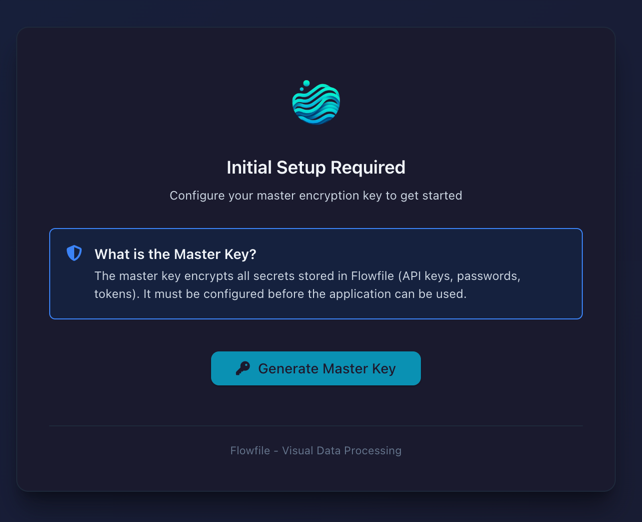
On first start without a master key, Flowfile shows a setup screen:
- Click Generate Master Key
- Copy the generated key
- Add to your
.envfile:FLOWFILE_MASTER_KEY=<your-key> - Restart the containers
Protect your master key
- Back up your
.envfile securely - Never commit to version control
- Losing it = losing access to all encrypted secrets
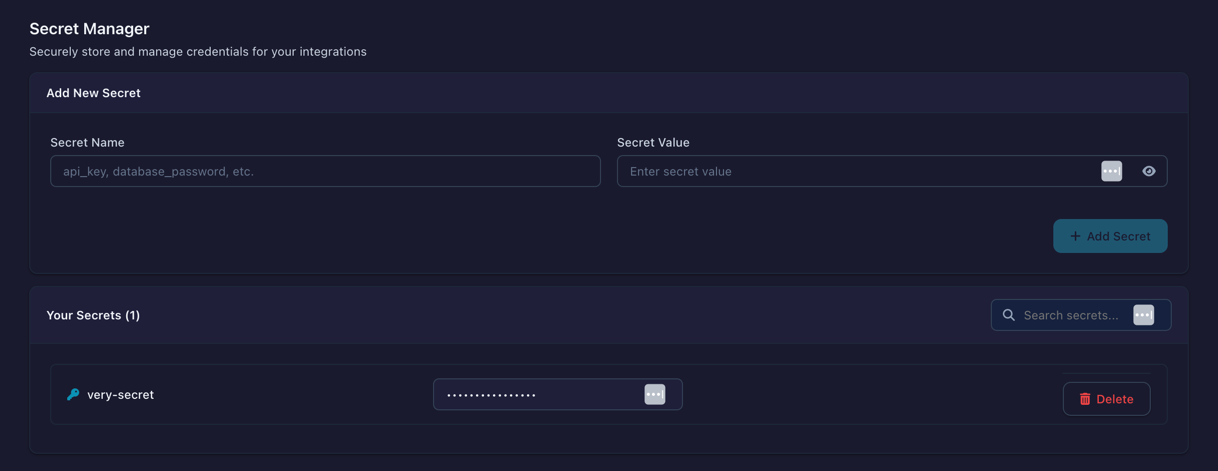
Creating Secrets
- Open Settings → Secrets
- Click Add Secret
- Enter name (e.g.,
prod_database_password) - Enter value
- Save
Using Secrets
Reference secrets by name when configuring connections. The encrypted value is decrypted at runtime.
Encryption
- Algorithm: Fernet (AES-128-CBC + HMAC-SHA256)
- Isolation: Each user's secrets stored separately
- Storage: Encrypted in SQLite database