Serve Flows as APIs
Any flow you build in the designer can be published as an HTTP endpoint: GET /api/data/{slug} runs the flow on demand and returns its result as JSON. This page covers making a flow API-ready, publishing it, calling it with an API key, exposing flow parameters as query parameters, and what to expect at run time. Publishing lives in the catalog, so the flow must be registered there first.
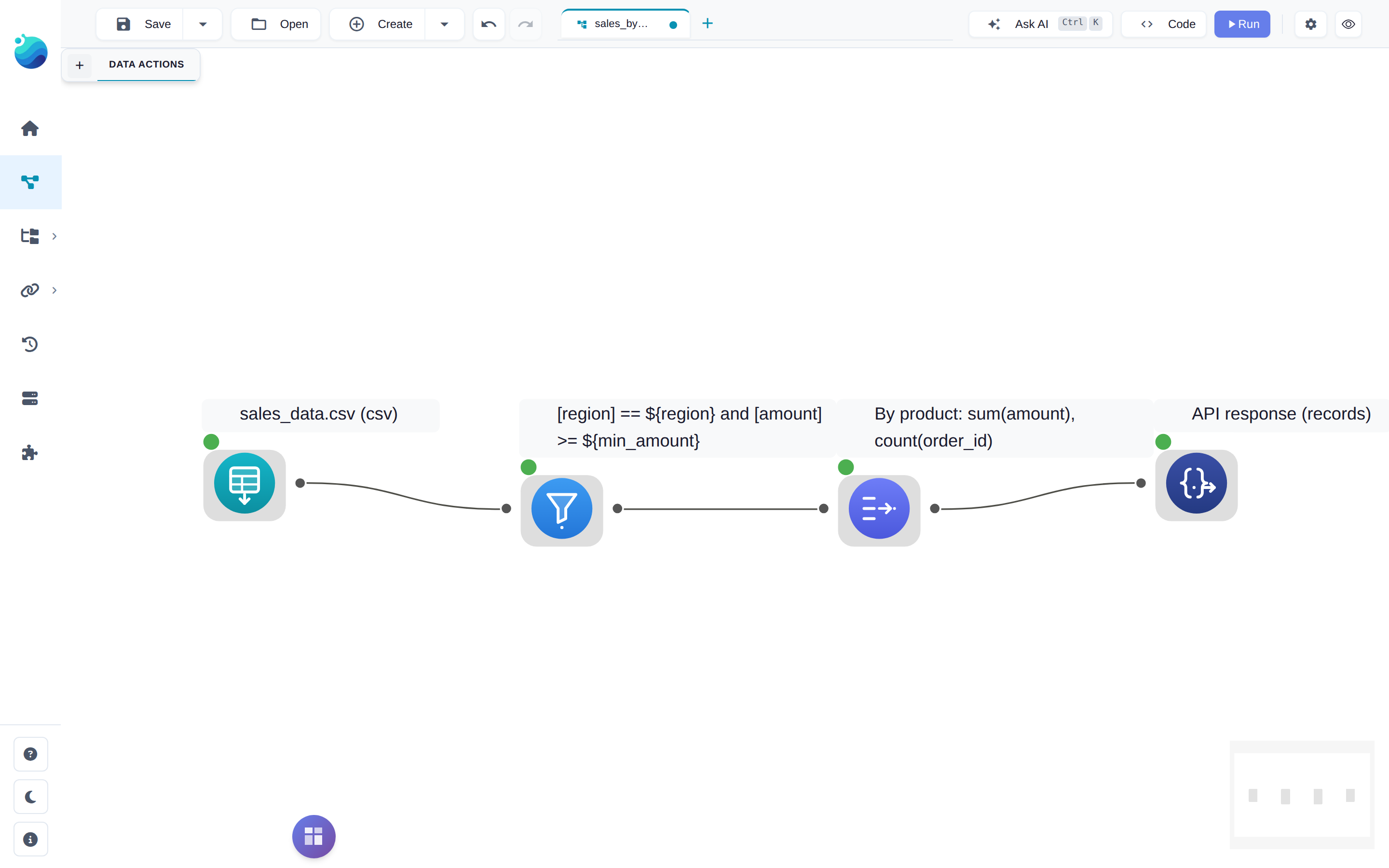
Make a flow API-ready
A publishable flow needs exactly one API Response node. It is a sink: whatever dataset flows into it becomes the response body. During interactive runs it passes data through unchanged, so previews keep working while you build.
The node has two settings:
| Setting | Effect |
|---|---|
| Orientation | records (list of row objects, default) or columns (one array per column) |
| Max rows | Optional cap on the number of rows returned |
Save the flow. A saved, registered flow with exactly one API Response node shows up as publishable.
Publish
Two ways in:
- Open the flow in the catalog and use its Expose as API section.
- Catalog → APIs tab → Create API, which lists your API-ready flows that aren't published yet.
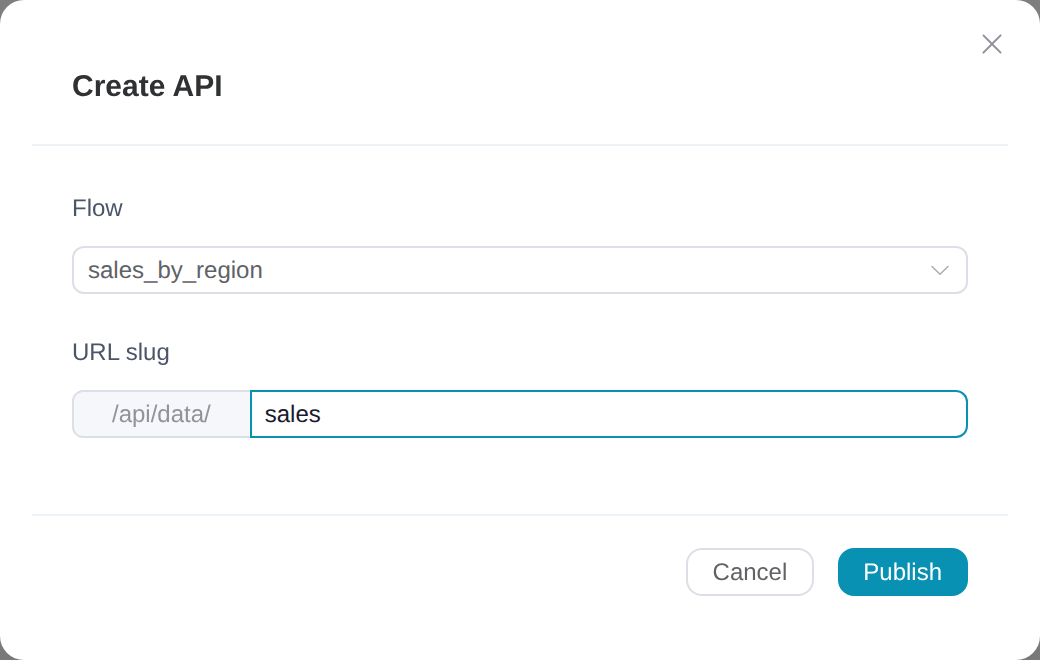
Either way you pick a slug — the last segment of the URL. Slugs are lowercase letters, digits, hyphens, and underscores, and must be unique across the server. A flow can be published once.
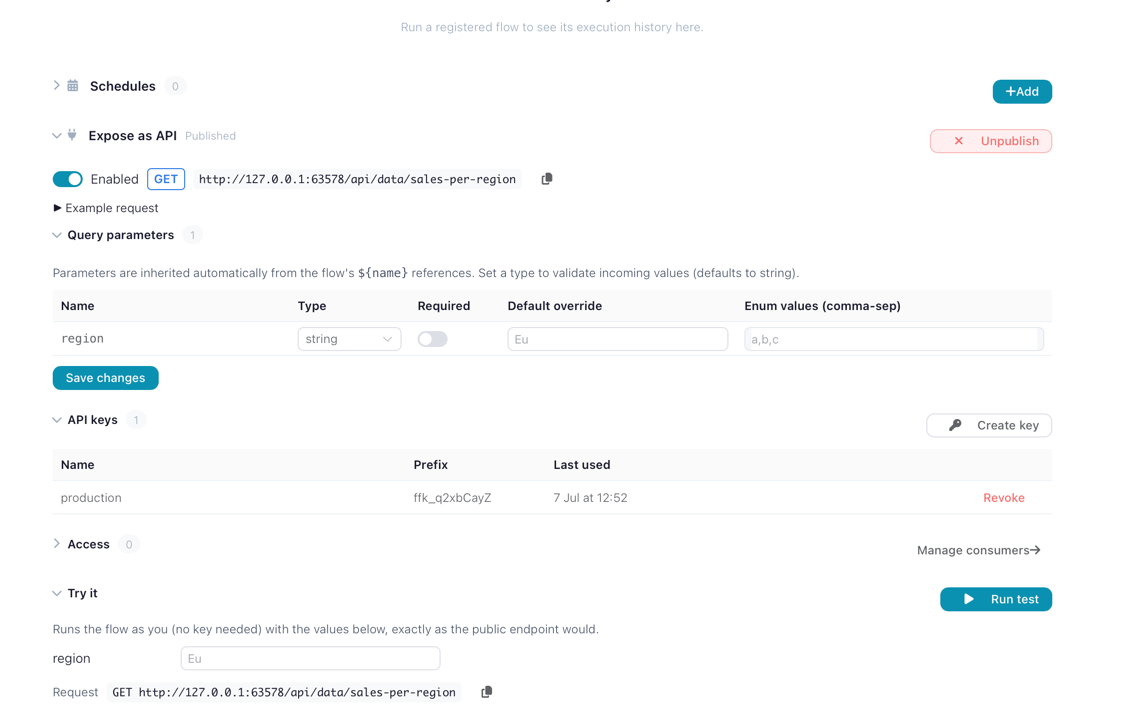
Once published, the flow's Expose as API panel shows the live URL with a copy button, an enable/disable switch, the parameter table, key management, and a Try it runner that calls the flow with your own values — as the owner, without needing a key.
Call the endpoint
Requests authenticate with an API key in the X-API-Key header:
curl -H "X-API-Key: ffk_..." "http://127.0.0.1:63578/api/data/sales?region=EMEA"
The response carries the data plus a row count:
{
  "data": [
    {"region": "EMEA", "product": "Laptop", "amount": 1200.0},
    {"region": "EMEA", "product": "Monitor", "amount": 350.0}
  ],
  "row_count": 2,
  "orientation": "records"
}
With columns orientation, data is instead an object mapping each column name to an array of values — cheaper to parse when you're loading the result straight into a dataframe.
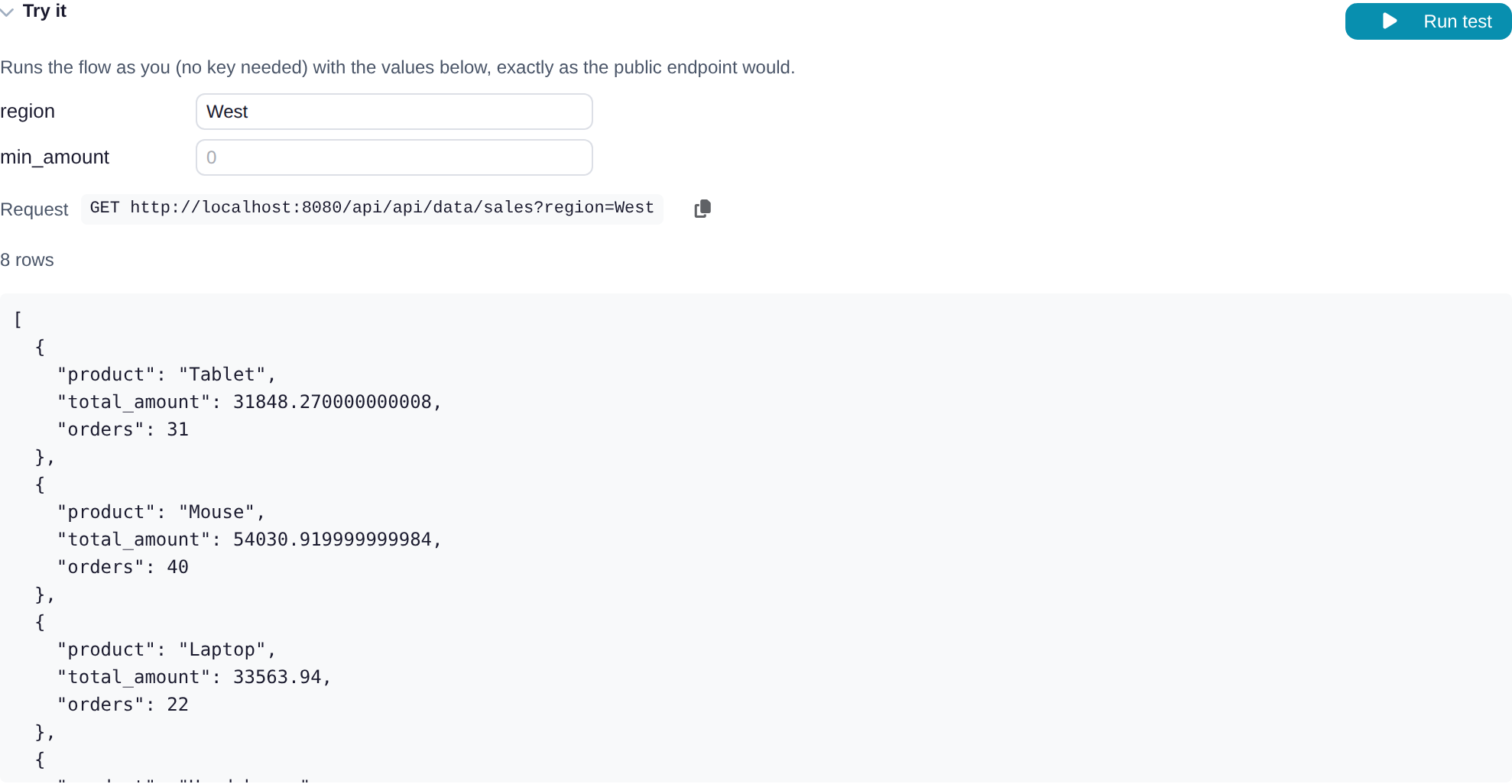
The panel's Try it section runs the same request in the browser — as the owner, without a key — and shows the JSON that a caller would receive:
The URL depends on how you reach the server
The panel's copy button gives you the exact URL for your deployment. Against flowfile_core directly (desktop, pip install) the path is /api/data/{slug} on port 63578. Through the Docker frontend it is /api/api/data/{slug} — the first /api is the nginx proxy prefix, which forwards to the same core route.
Parameters
If the flow declares flow parameters (designer → flow settings → Parameters), each one is accepted as a query parameter on the endpoint. Reference a parameter anywhere in the flow as ${name} — in a filter formula, a source path, a SQL query — and the caller's value is substituted at run time. A parameter the caller leaves out falls back to its default from the flow settings.
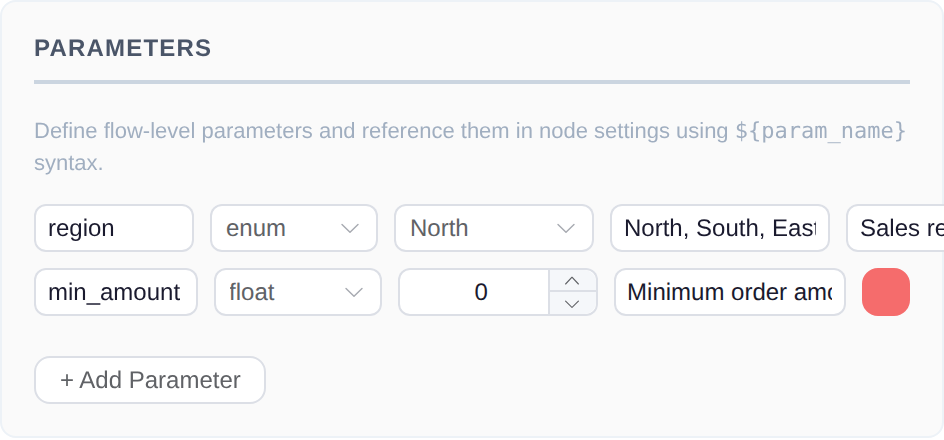
Per endpoint you can refine each parameter without touching the flow: its type (string, integer, float, boolean, or enum with an allow-list), whether it is required, and an endpoint-level default. Values are validated before the flow runs; a missing required parameter or a value that fails type coercion returns 400 with a message naming the parameter.
String parameters are restricted
Free-form string values may not contain quotes, parentheses, backslashes, semicolons, newlines, or ${. Substituted values reach node settings verbatim — including Polars code nodes — so these characters are rejected to keep a key holder from injecting code. If a parameter only takes a handful of values, declare it as an enum instead; enum, numeric, and boolean parameters have no such restriction.
API keys and consumers
Keys are minted from the flow's panel (Create key) or from the APIs tab. The raw token — ffk_ followed by a random string — is shown exactly once, at creation; only a hash is stored, so copy it then. A key can carry an expiry date, and can be disabled (revoked without deleting, so last_used_at history survives) or deleted outright.

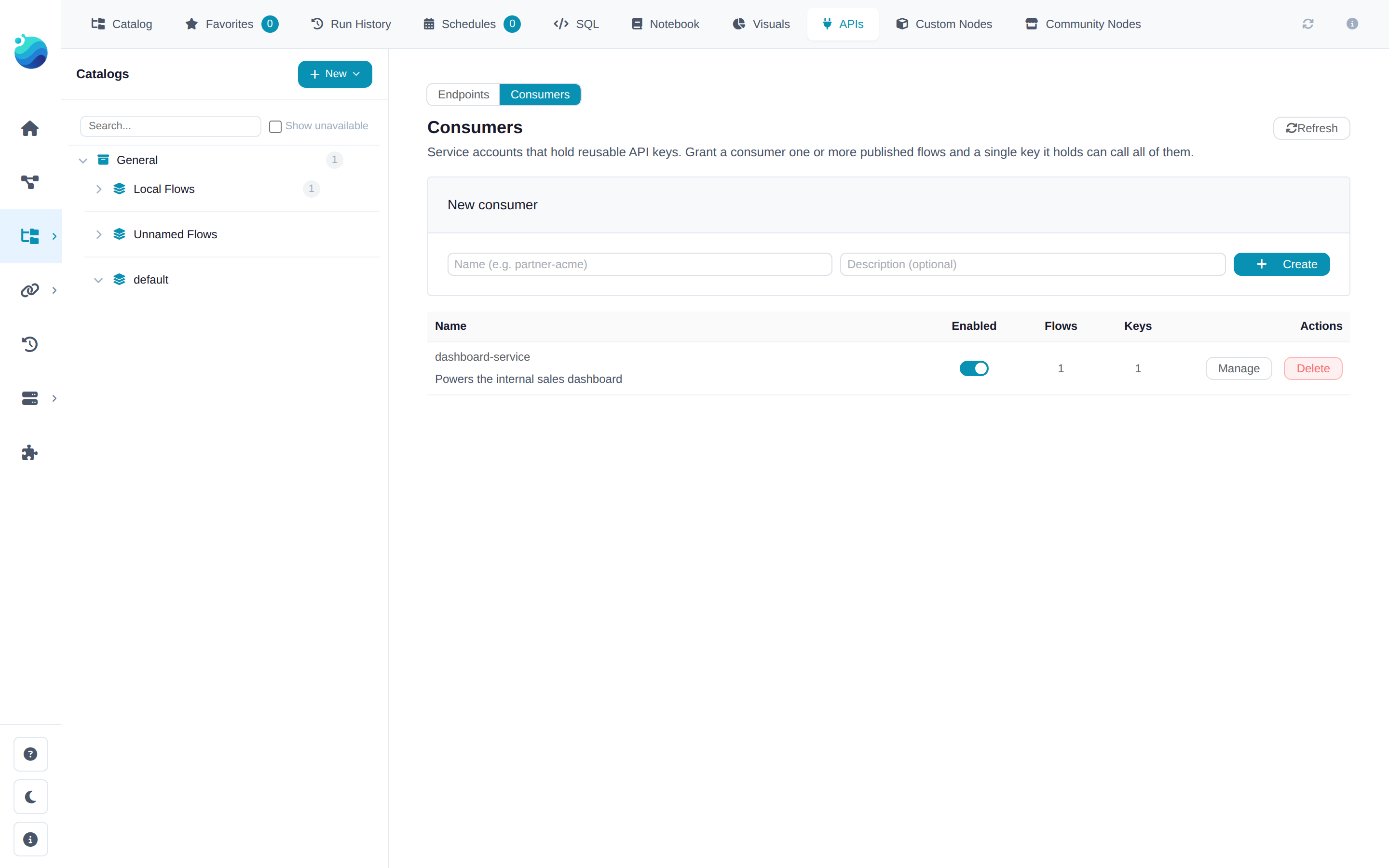
Every key belongs to a consumer — a client identity that holds keys and is granted endpoints. Keys created from a flow's own panel get an implicit single-endpoint consumer, so for one flow you never think about this. When one client needs several flows, create a named consumer in the APIs tab's Consumers view, grant it the endpoints, and mint one key there: that key calls every granted endpoint, and disabling the consumer cuts off all of them at once.
Failed authentication always returns 401, whether the key is wrong, expired, disabled, or simply not granted this endpoint — an unauthorized caller can't probe which slugs exist. The one exception: a validly granted key calling a disabled endpoint gets 403, since the caller has already proven access.
What happens at run time
Each request opens the saved flow file fresh and runs the whole graph synchronously, as the endpoint's owner, in Performance mode (one lazy plan, no per-node materialization). Editing and re-saving the flow changes what the endpoint serves — no re-publish step. Heavy computation is offloaded to the worker when one is available, so the API surface stays responsive.
Two knobs bound the load:
| Environment variable | Default | Effect |
|---|---|---|
FLOWFILE_API_RUN_TIMEOUT_SECONDS |
120 |
Per-request execution timeout; exceeded runs return 504 |
FLOWFILE_API_MAX_CONCURRENT_RUNS |
4 |
Server-wide cap on simultaneous API runs; beyond it requests get an immediate 503 rather than queueing |
Concurrent requests to the same published flow are additionally run one at a time; different flows run in parallel up to the cap. This is a request/response surface for queries that finish in seconds — for long-running or recurring work, use schedules and read the output from the catalog instead.
Errors
| Status | Meaning |
|---|---|
400 |
A parameter is missing, fails validation, or a string value contains restricted characters |
401 |
Invalid, expired, disabled, or ungranted API key |
403 |
Valid key, but the endpoint is disabled |
500 |
The flow failed. The public response is deliberately generic — node-level details (paths, SQL, column names) go to the server log only. Use Try it as the owner to see the full error |
503 |
The concurrent-run cap is reached; retry shortly |
504 |
The run exceeded the execution timeout |